Fits the rules
The right size and shape, the head at the required height, centred and level, on a plain background in the colour the document asks for.
 PhotoPass / Browser extension
Skip the photo studio. Choose your document, add a photo taken at home, and PhotoPass sizes, frames and checks it against the official rules, all inside your browser.
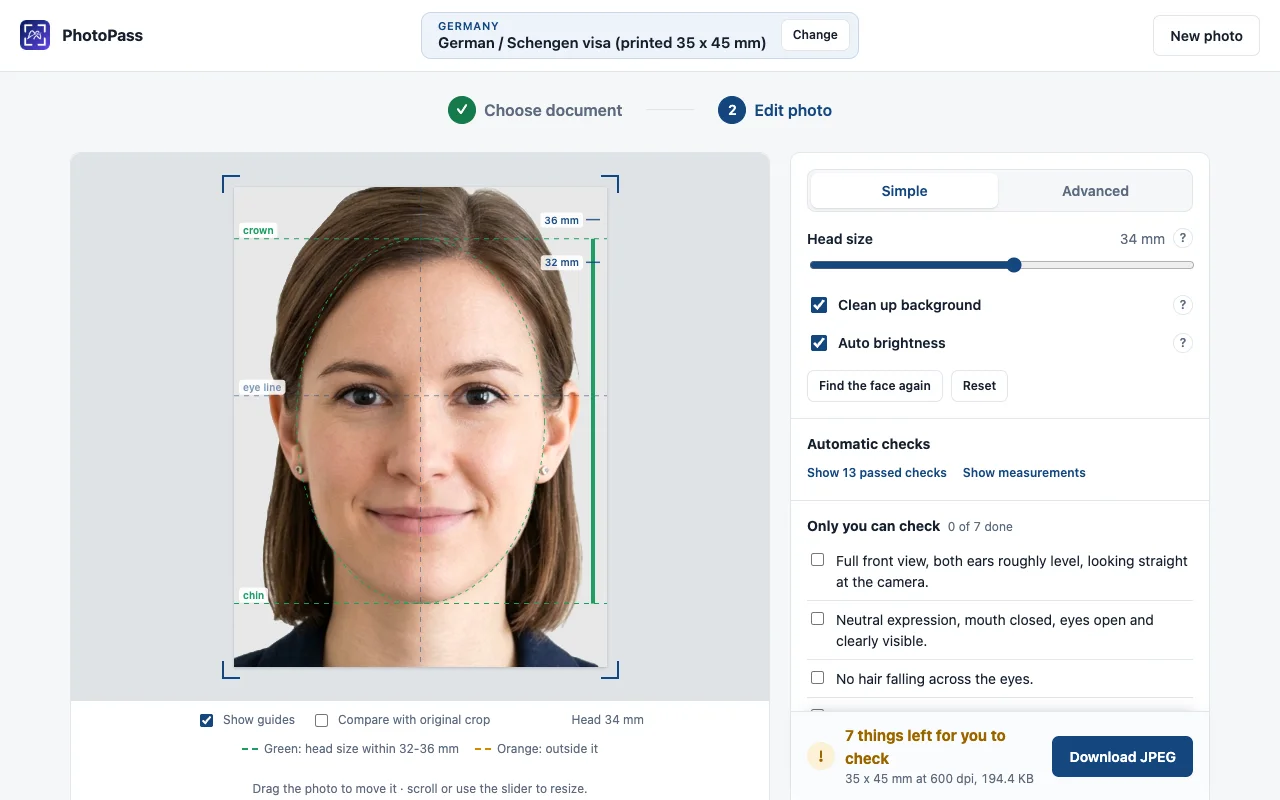
Made for the rules
The right size and shape, the head at the required height, centred and level, on a plain background in the colour the document asks for.
Every rule it can measure, in plain words, with one verdict and a fix where there is one. What only you can judge, it lists for you to tick off.
No upload, no account, no permissions. The photo stays in your browser tab, and PhotoPass works offline.
Three steps / PhotoPass
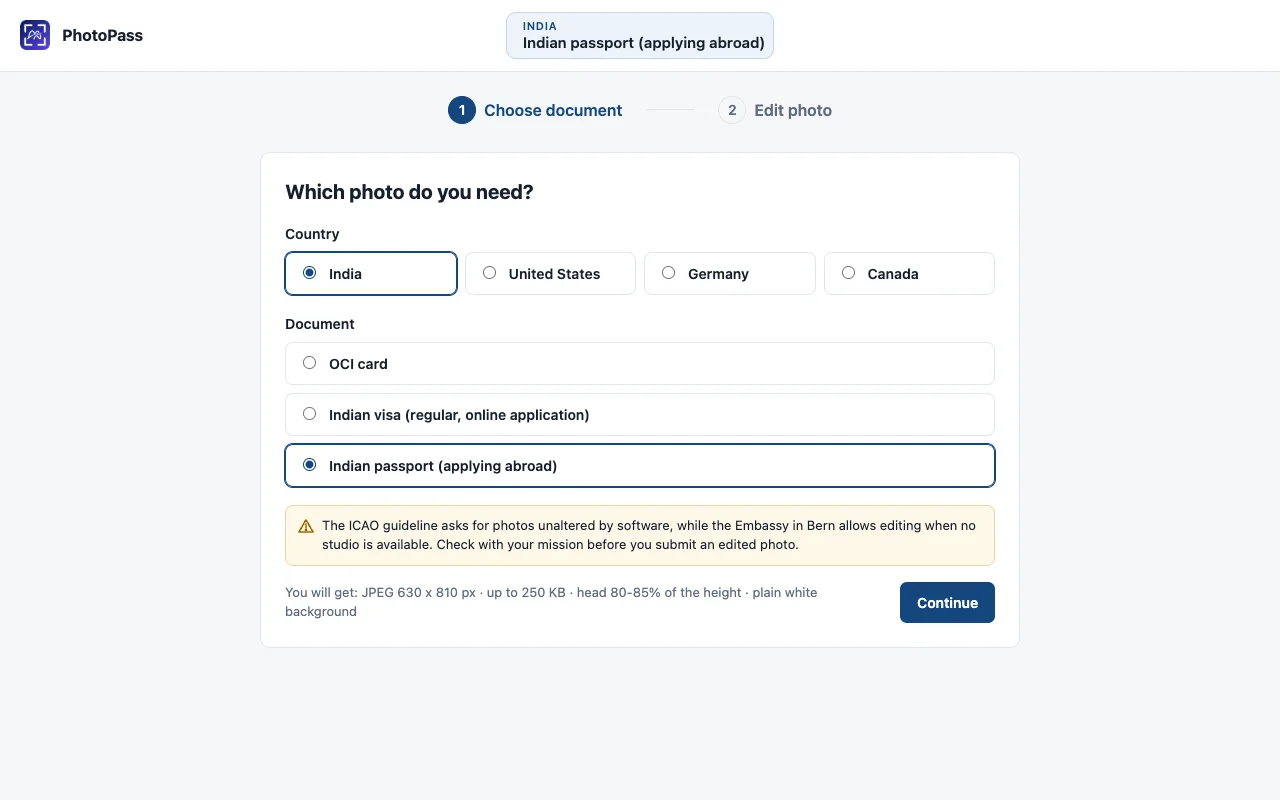
Where it works
Each one follows its official rules.
| Country | Document | Photo |
|---|---|---|
| India | OCI card | Square JPEG, uploaded |
| India | Visa, online application | Square JPEG, uploaded |
| India | Passport, applying abroad | JPEG, uploaded |
| United States | Visa (DS-160) | Square JPEG, uploaded |
| United States | Passport | Printed, 2 × 2 in |
| Germany | Schengen visa | Printed, 35 × 45 mm |
| Canada | Visa | Printed, 35 × 45 mm |
Good questions
Free for Chrome
Add it to Chrome and make your first photo in a few minutes.
Available on the Chrome Web Store.
Good tools.
Ideas worth sharing.